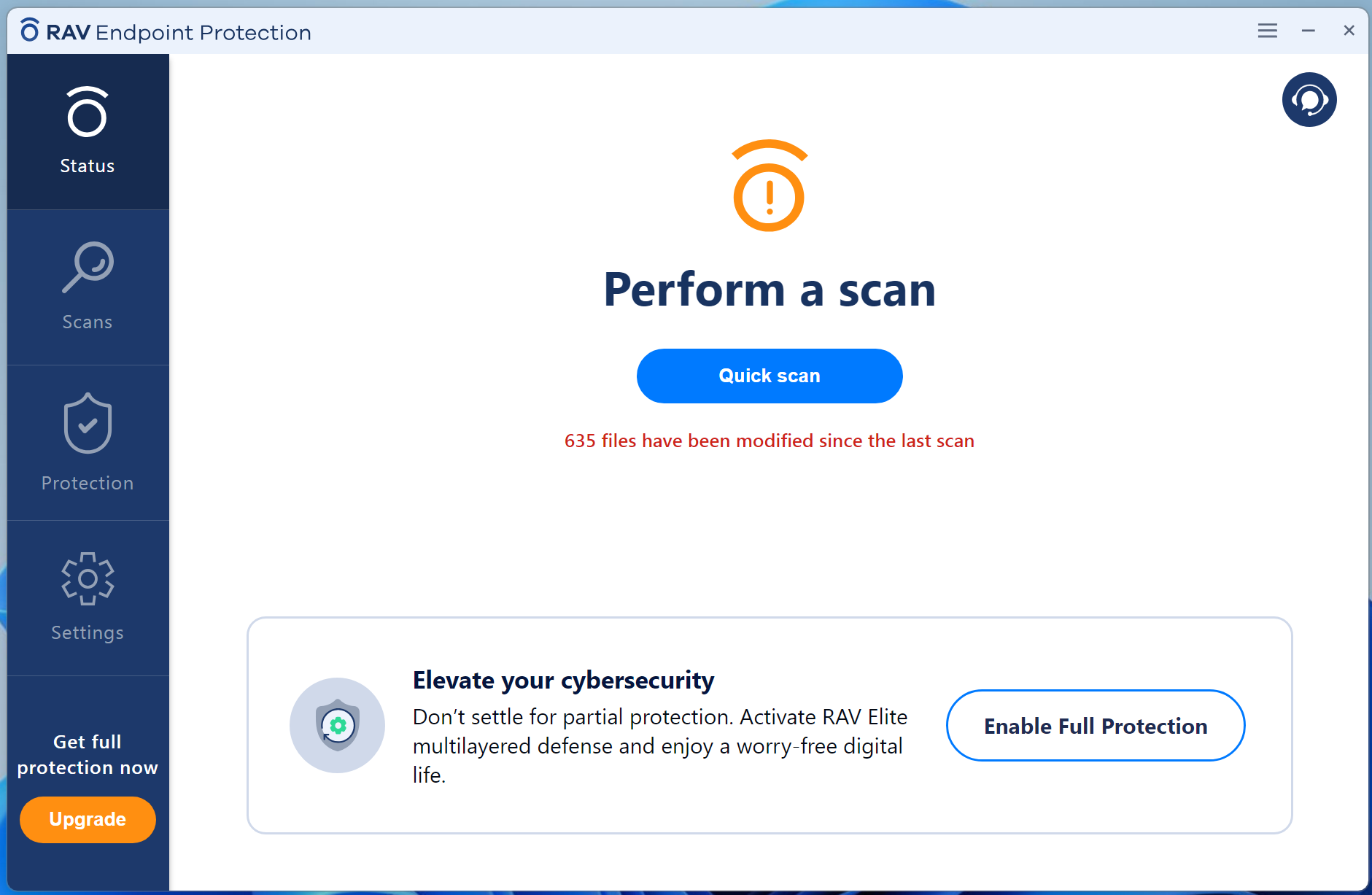
RAV Endpoint Protection often sneaks in bundled with other installers such as Noxplayer (bundleware) and can make your computer unusually slow.
Signs your computer may be affected by RAV
- The computer becomes unusually slow.
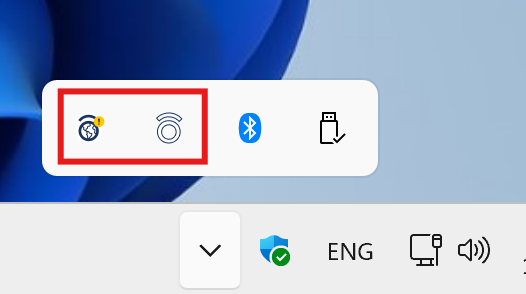
- A RAV icon appears even though you did not intentionally install it.
- Browser settings change automatically.
- CPU or RAM usage is higher than normal.
How to fix the issue
Uninstall it properly
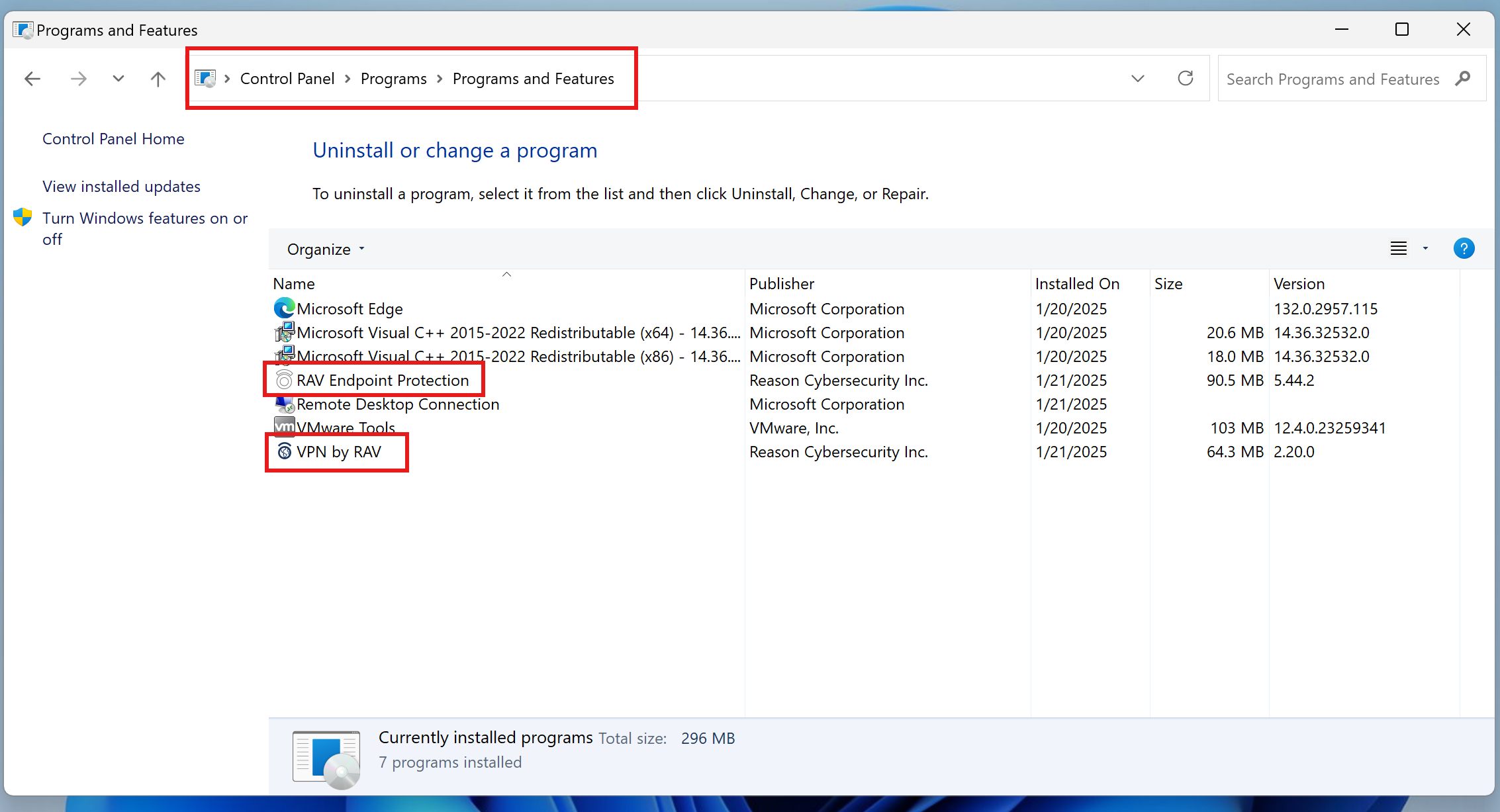
- Open Control Panel > Programs and Features.
- Find RAV Endpoint Protection and related apps from the same maker, such as VPN by RAV.
- Right-click the item and choose Uninstall.
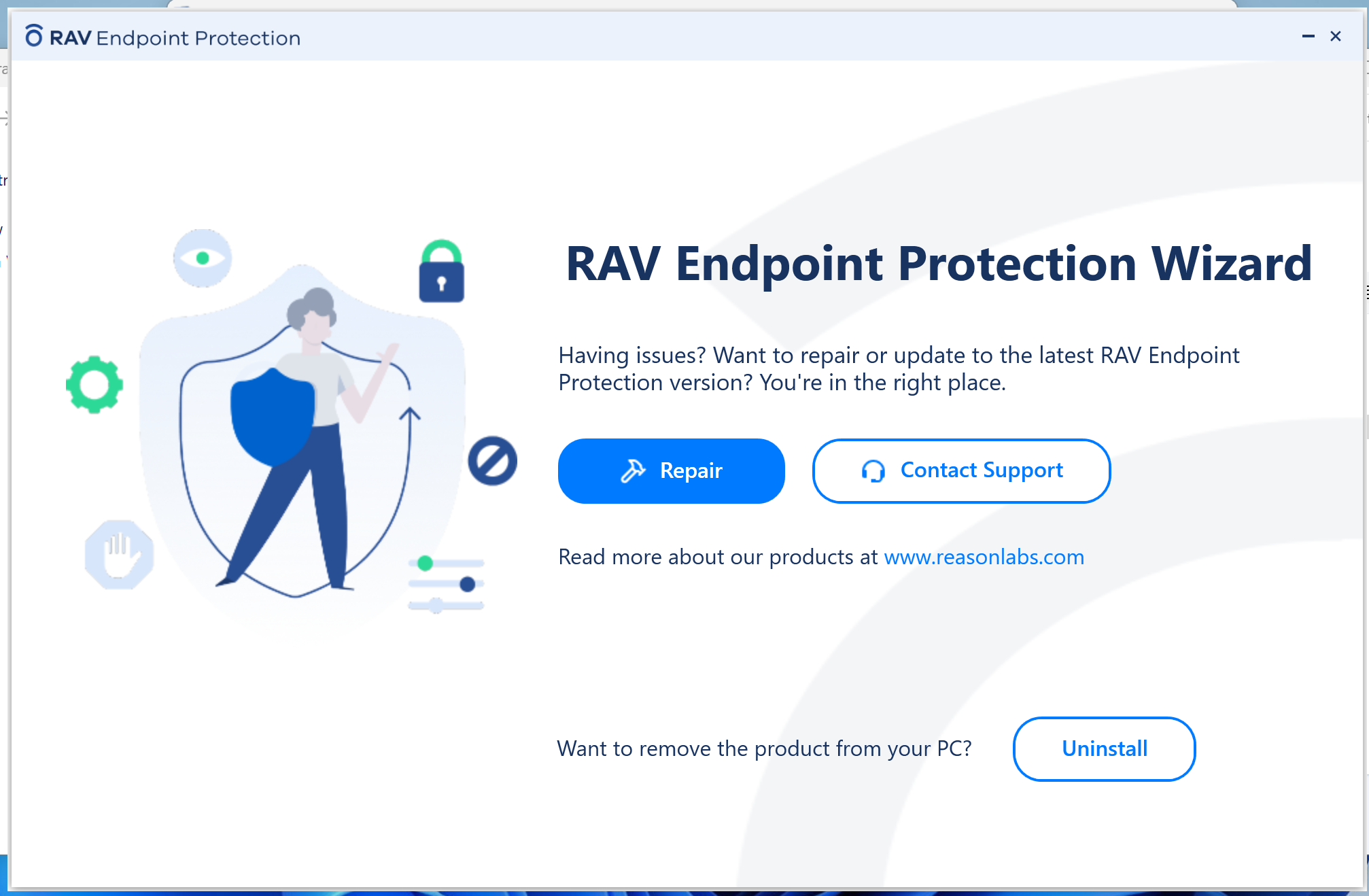
Note: uninstalling the program alone may not remove every related item.
Check for leftover files
- Check Program Files and related application folders.
- Review Registry entries only if you know what you are doing or have an IT specialist helping.
- Use a trusted cleanup tool such as AdwCleaner to scan for related adware.
Prevent it from coming back
- Read each installer screen carefully before clicking Next.
- Choose Custom Installation whenever possible.
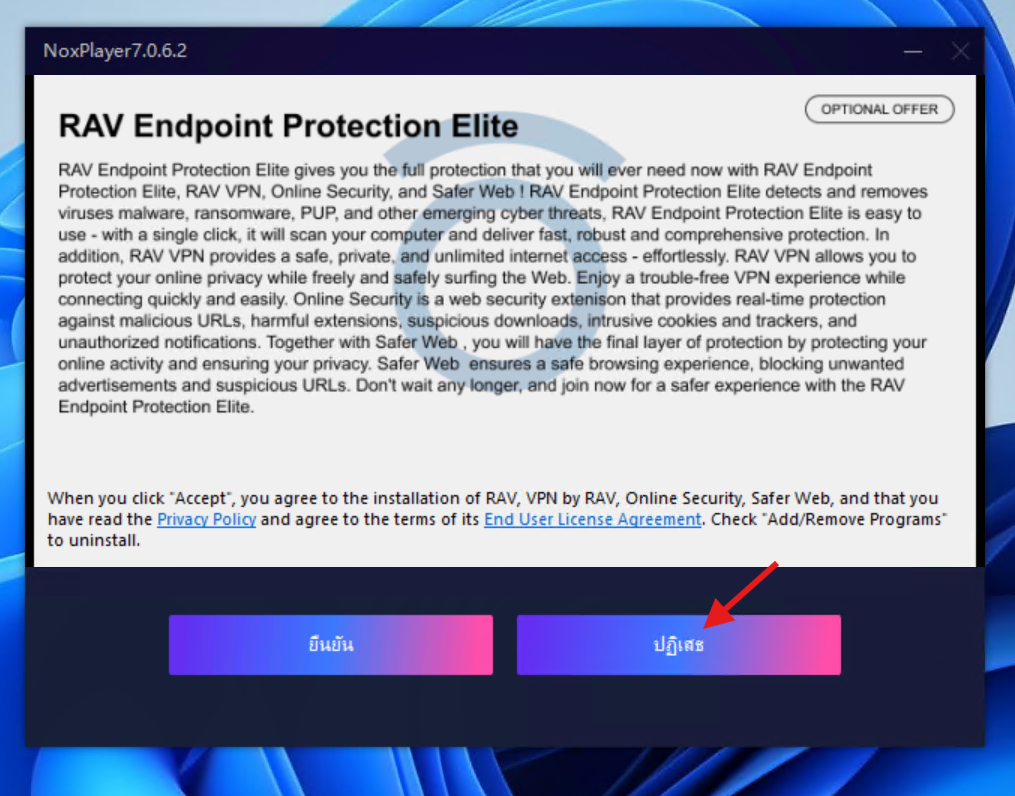
- Untick optional offers such as Additional Software.
- Remove the Online Security extension from every browser to prevent it from being restored.
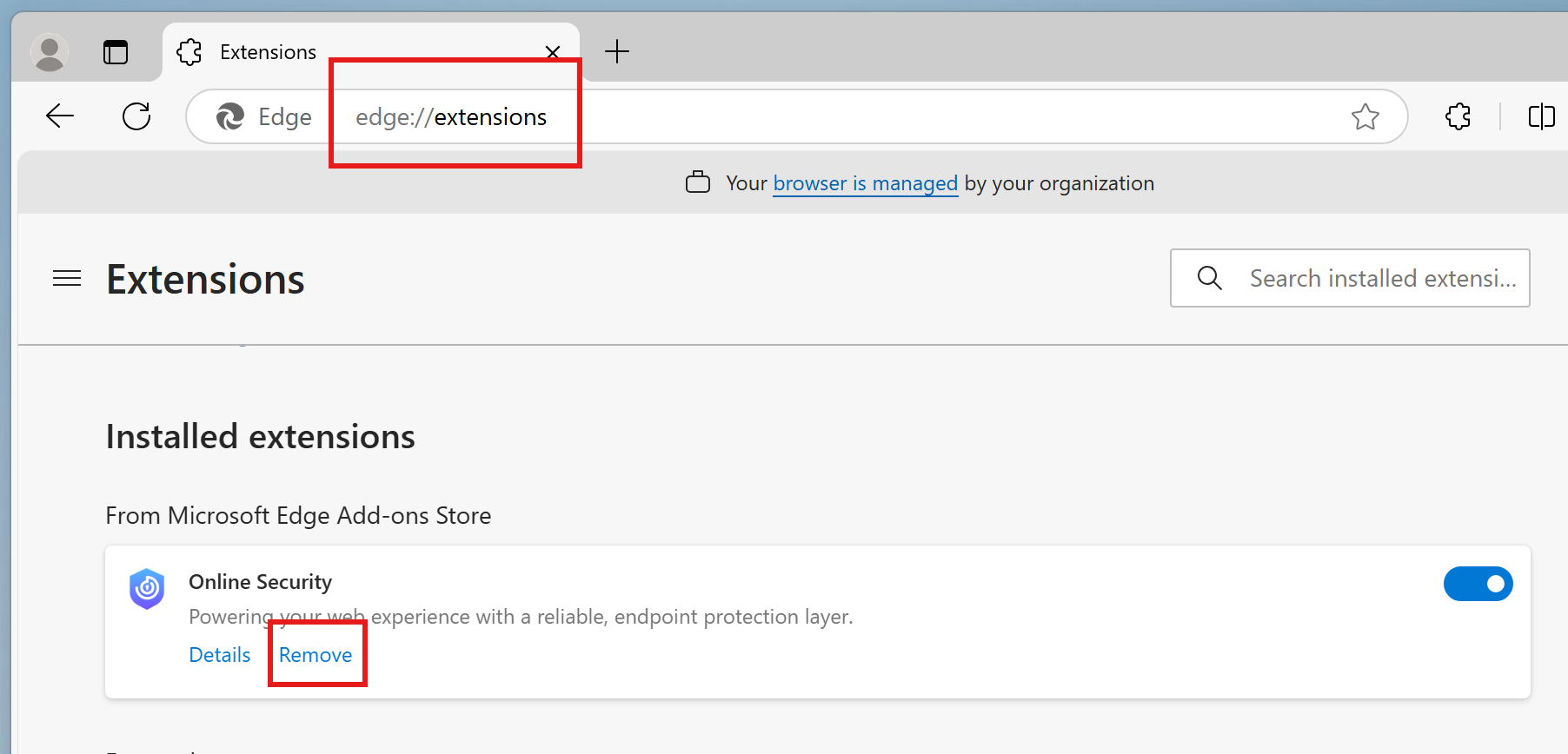
!
Warning: Removing system files or Registry entries incorrectly can make Windows unstable. If you are not sure, ask an IT specialist before deleting anything.
Let a specialist remove RAV for you
medeemedia can remove RAV and other unwanted programs, check your system, and tune the computer remotely with practical after-service support.
Contact us on LINE →